What's New in Toolpath: April 2026
The April 2026 Toolpath update is all about getting the right estimates and programs for a wider variety of parts and constraints faster. We built these features so you feel more adaptable when considering new work, and can quickly differentiate potential opportunities from traps. AI Agent opens up a whole new world for creating, organizing, and working with tool library and cutting parameter data. Editable Preset tables and tool library notes help you keep it in check. New vendor tool libraries with manufacturer recommended cutting parameters make it faster to scope jobs for new materials.
The Toolpath community has been growing through our biweekly Community Calls and the upcoming Machining Summit on the Summit, and we hope you join us on the new Discord server. And if you've been considering a last minute trip to Mammoth, there are still a few spots left! Here's what's new 👇
- AI Agent in Cut Configs
- The Toolpath Discord Community
- Vendor Tool Library & Workholding Updates
- Editable Presets Table
- Tool Library Browser, Notes, & Pins
AI Agent in Cut Configs
When we talk tool libraries with shop managers and programmers, the most common thing I hear is "yeah, we'd like to get them organized, but it's been on the list for 6 years and we haven't done it. We would like to though!" AI Agent automates tedious tool library and cutting preset management, helping you quickly build the Cut Configs to get the right results for your shop.
If you've been putting off:
- tool library filtering and library prioritization
- editing your cutting parameters, or mapping your custom presets to cutting roles
- building Cut Configs for new materials
- creating tools from photos of the boxes in your toolbox
AI agent can help! We'd love to hear about how you put it to work in the Toolpath Discord. Check out the launch video from Pete below, and check out some tips from Paul in this article: Using AI Agent in Cut Configs.
The Toolpath Discord Community
With the growing engagement in Toolpath Community Calls and planning for the Machining Summit on the Summit, we've launched the Toolpath Discord server. The Discord community is the place to connect with fellow Toolpathers, ask questions, and engage with the Toolpath team.
Join the Discord using this link and see the video below for an overview (and see my messy browser tabs and bookmarks). One day I'll smarten up and just download the app on my phone.
Vendor Tool Library & Workholding Updates
Scott has been hard at work in organizing tool libraries and vise models. The highlights this week are:
- Harvey keyseats (with Harvey cutting parameters)
- More Skookum tools
- More materials on Kennametal tools
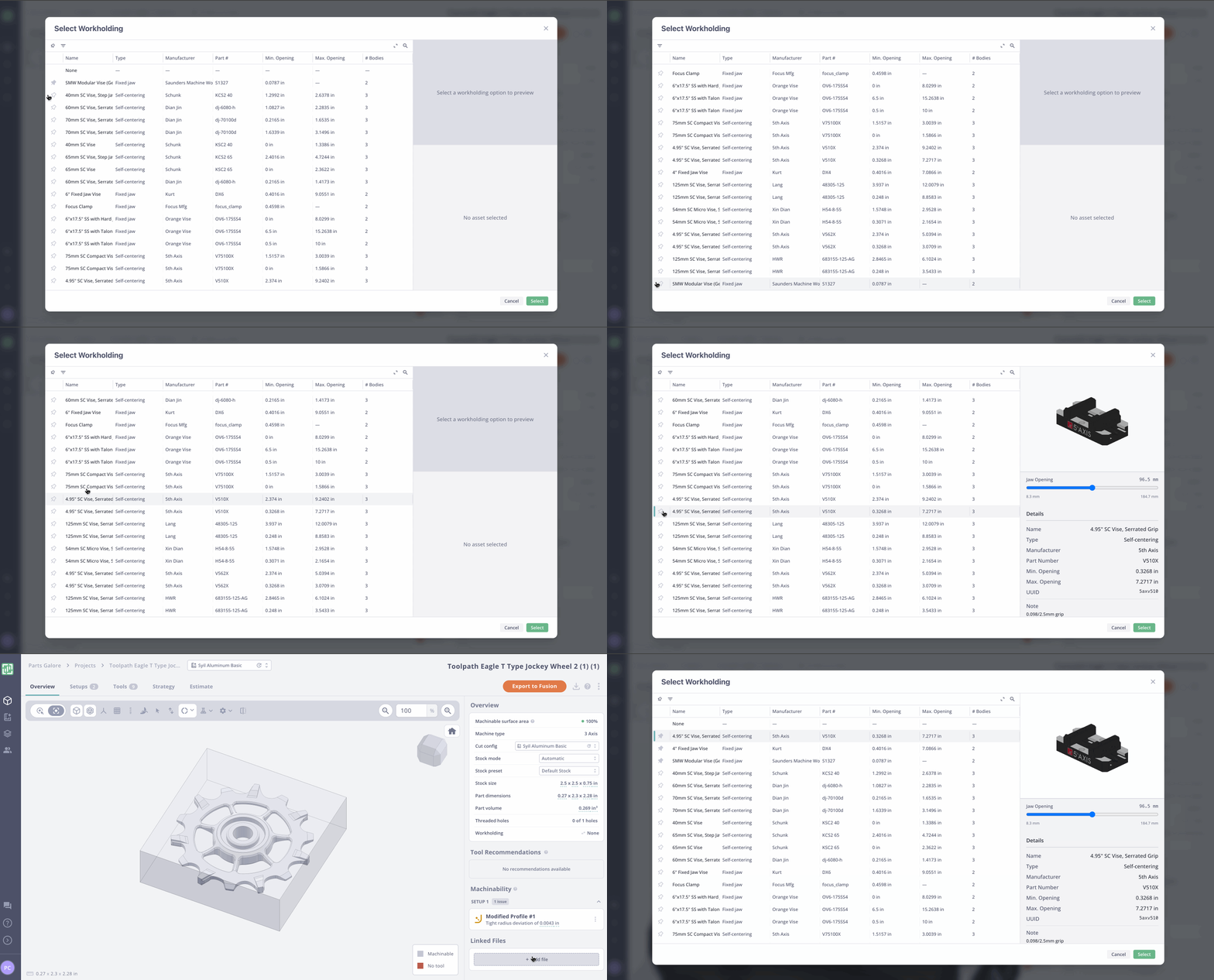
- Vise models from Schunk and Dian Jin (Ben's favorite)
Editable Presets Table
We usually recommend Toolpathers start with the default presets to quickly run some parts and understand how Toolpath works. One of the next steps in refining Toolpath for your shop is entering your cutting parameters. The new editable presets table in Cut Configs makes it quick and easy. Bonus — you can enter stepdown and stepover as percentages of tool geometry.
Tool Library Browser, Notes, & Pins
Organization matters. You can now add notes to tool libraries, pin libraries, and get quick tool library summary info through the Library Browser! Learn how below:
Like tool libraries, your favorite vise models can now be pinned in the Workholding Browser: