
Chatter, Now Open Source!
Chatter is now open source! It shows the live status of your CNC machines in any browser on your shop network, and it runs on any computer or a Raspberry Pi.
It's free, it's MIT licensed, and the code is on GitHub.
And we didn't just open the code. We also fixed existing bugs and made a lot of improvements along the way. See What's new below.
Why open source
Chatter joined Toolpath because the shop floor is where the real numbers live. Getting those numbers shouldn't depend on a subscription or on someone else's cloud.
Once it's installed, Chatter runs on your network with no internet needed. Your machine data stays in your shop. You can read every line of Chatter's code, change it to fit your shop, and run it on hardware you already own.
If you build something on top of Chatter, or you connect a machine we haven't seen yet, we want to hear about it!
What Chatter does
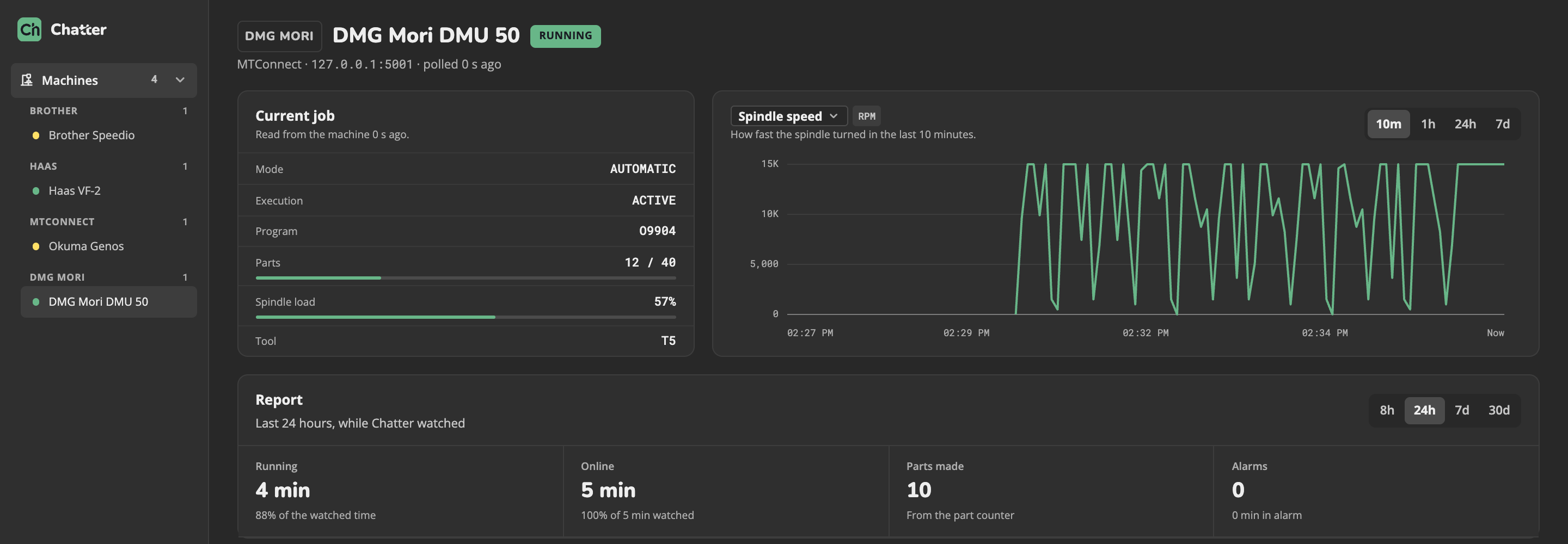
- See every machine at a glance. Running, idle, alarm, or offline, with the program, tool, spindle speed, spindle load, and part count.
- Connect the machines you have. Brother, Haas, FANUC, Siemens SINUMERIK, and any machine with an MTConnect agent. Chatter can scan your network to find them.
- Look back. One year of machine history, with charts, running time, parts made, and alarms.
- Move programs. Browse, send, download, and delete the program files on your machines, with an upload history.
- Control who does what. Viewer, Operator, and Admin accounts, plus your own alert rules on the machine history.
What's new
No cloud needed
Chatter used to depend on the Chatter cloud. Now it runs on its own in your shop, even on a device as small as a Raspberry Pi Zero 2 W.
Logins and roles
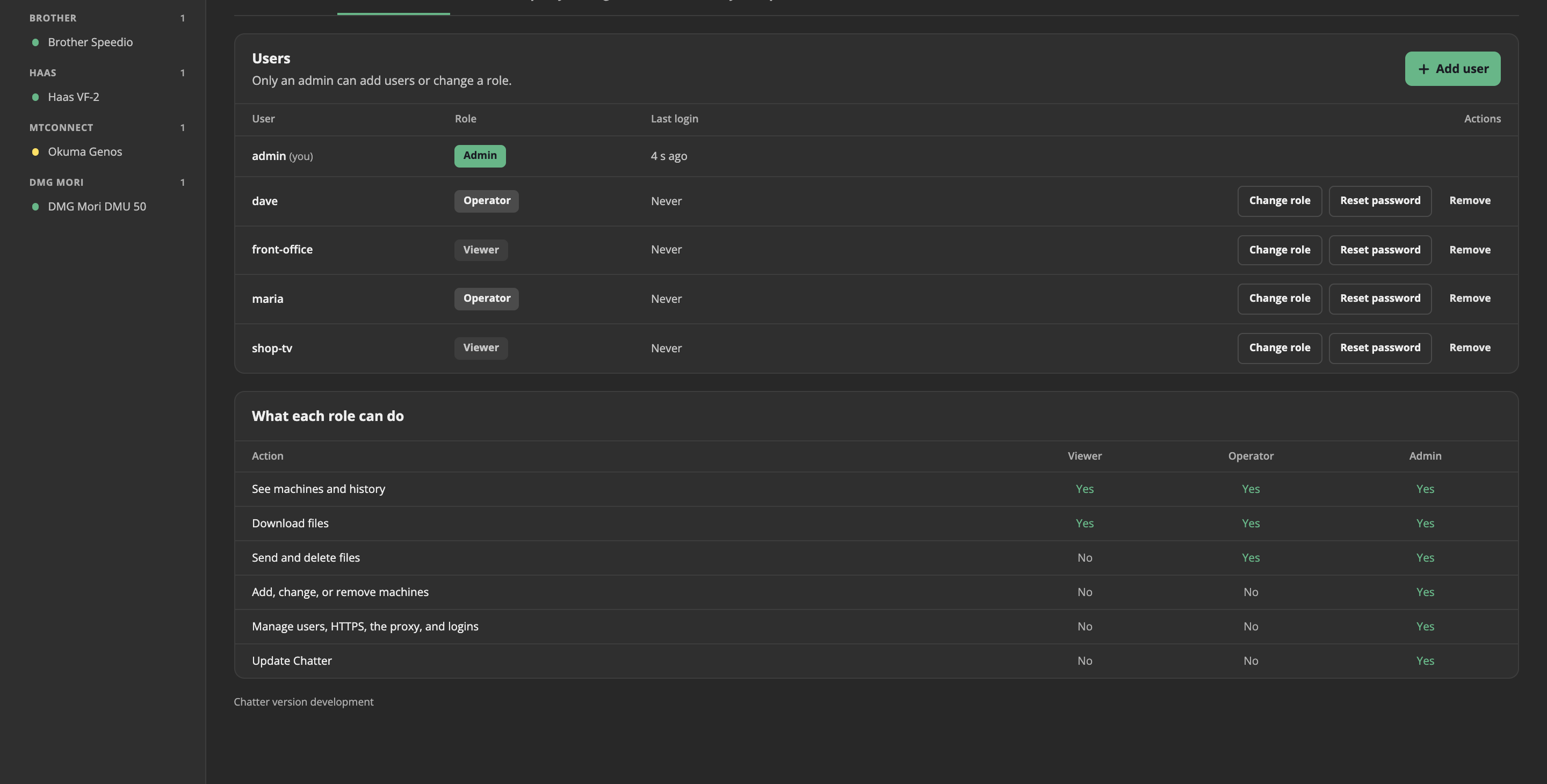
Every person gets their own account, with only the access they need.
Find machines for you
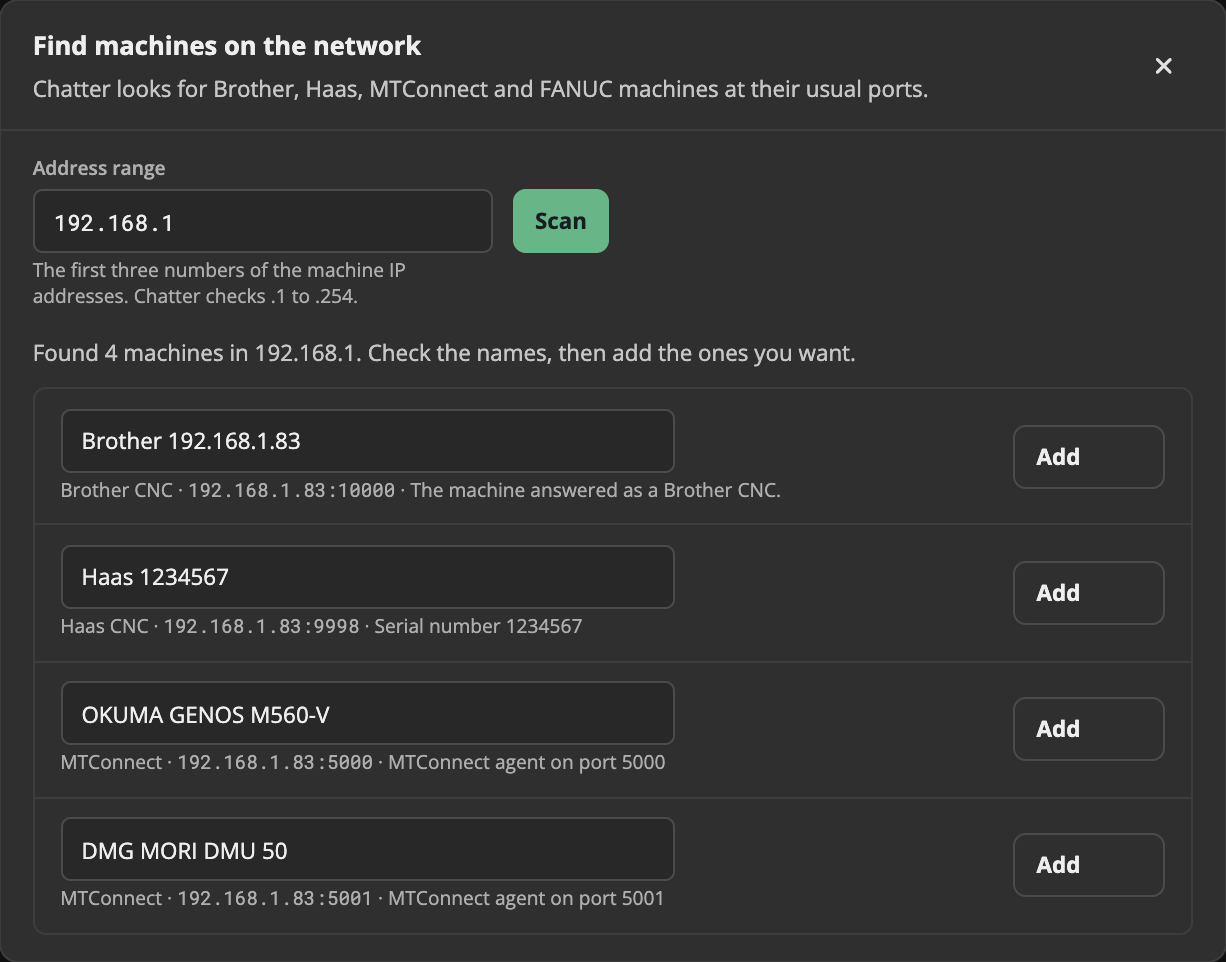
Chatter scans your network for Brother, Haas, FANUC, Siemens, and MTConnect machines.
Better history and reports
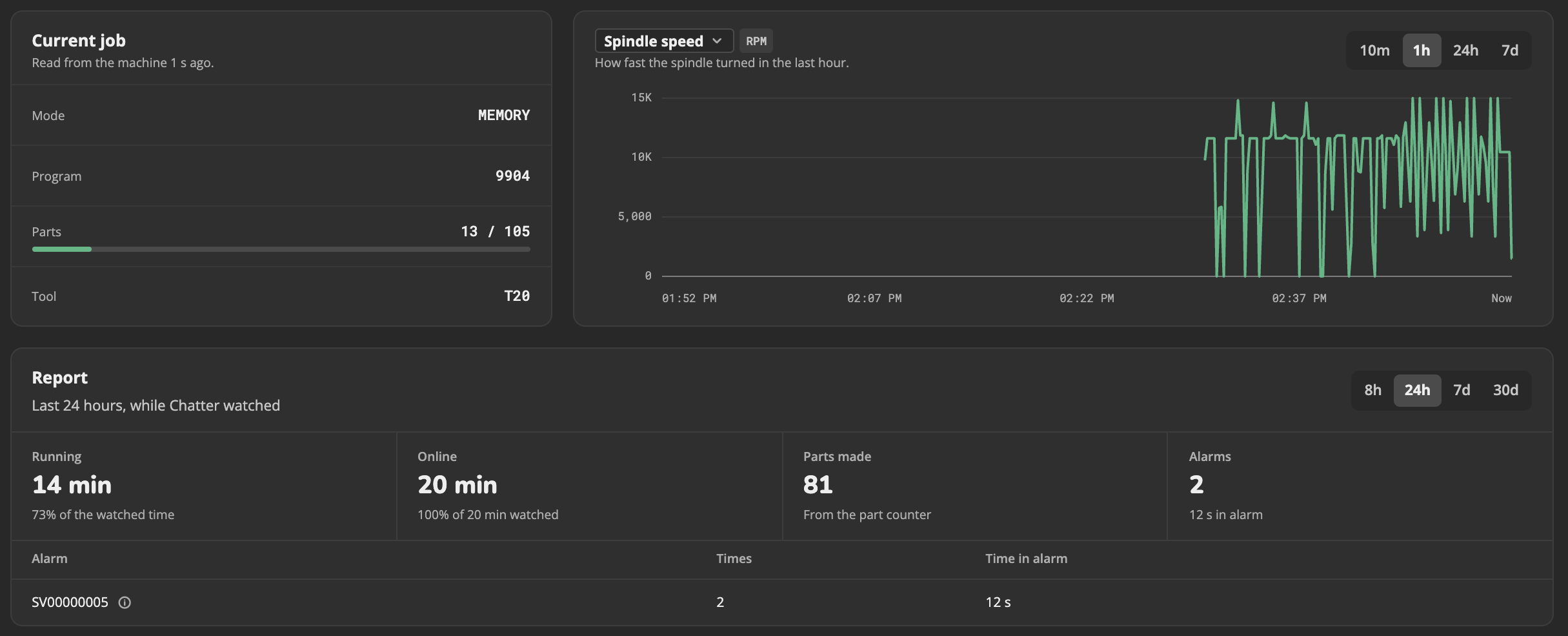
A full year of history, with parts made, running time, and alarms with an explanation.
Easy updates
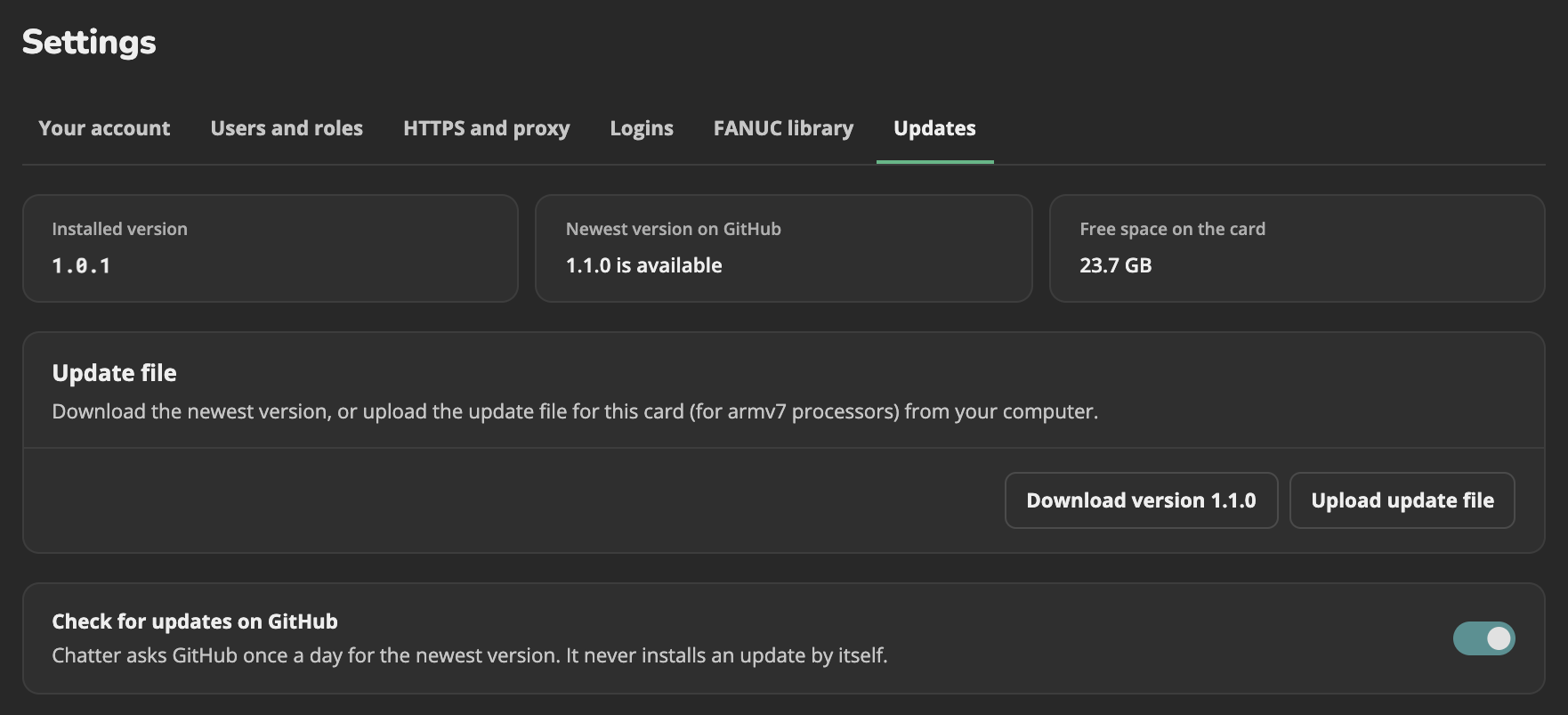
On a Raspberry Pi, you can update Chatter in just a couple of clicks. Each Pi update file is signed, so a bad download can't install. On a computer with Docker, download the new version and run two commands.
Not sure where to start? Our install and update guides walk you through every step, so you won't get lost.
Install on any computer
Ready-made Docker packages for Windows, Mac, and Linux.